How to Tell if You’ve Gotten Hacked… Being hacked is the single biggest fear of most computer users. Many believe the first sign of strange behavior or errors on their PC is a sign hackers have taken control. But are hackers really inside your machine, stealing your information? Or should we be on the lookout for more subtle signs? What does being hacked really look like?
There is an important distinction to make between being hacked by a person and being infected with a virus or malware. Virus software and malware are automated processes designed to damage your system, steal your data, or both. There are of course ways that we can defeat these processes, but what if we are instead hacked by an individual?
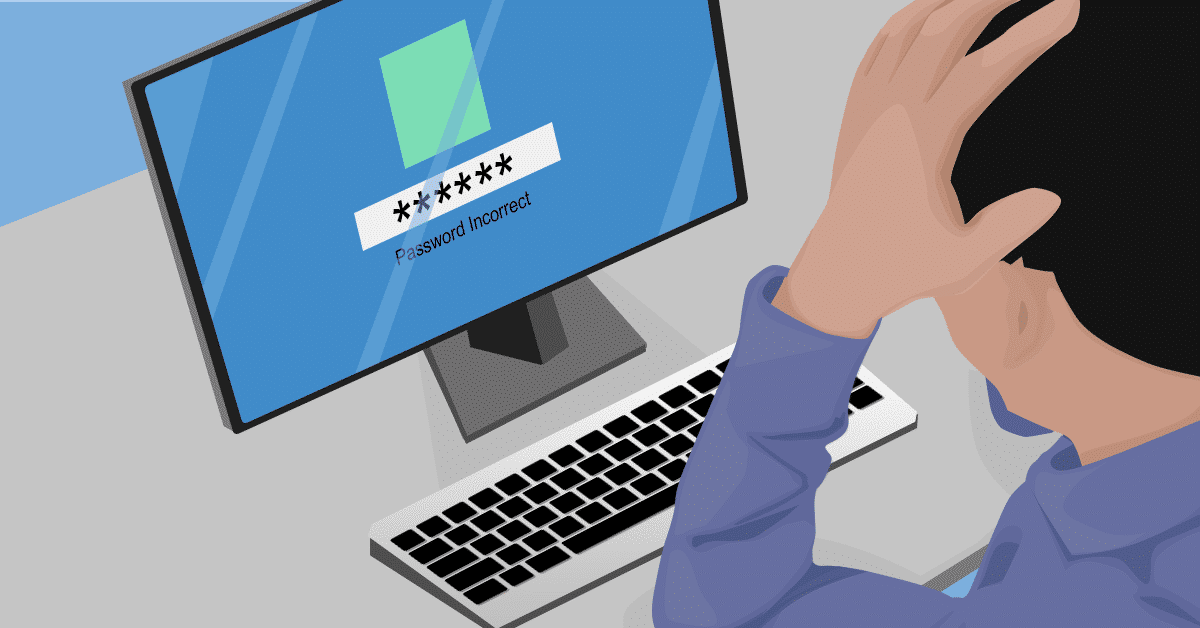
Logins not working
One of the first steps a hacker might take would be to change the computers passwords. By doing so, not only do they ensure future access to the account, they prevent you from accessing the system to stop them. For the hacker, this is a crucial step that keeps them in control. With this in mind, we always want to make sure to keep on top of our own login details and how often we change them.
Security Emails or SMS’s from online services
Many services track which device and location you logged into your account from last. If your account is accessed from a new device or a different country it might trigger an automated email or SMS to ask if this new login is your own.
If you have logged in using a new computer, tablet, or phone; an email that asks “hey, is this you?” need not be cause for alarm. If you haven’t, it may be time to investigate further. This service is an important part of information security. It may be a key first step to identify someone else gaining access to your account.
Bank accounts missing money or strange transactions
Most commonly today, hackers commit crimes to steal money. The end goal for hackers is typically to profit from their crimes by taking money from people online.
It always pays to keep a regular eye on your financial transactions to make sure you know what money is coming and going from your account.
You may see a large sum missing where hackers have attempted to take as much as they can in a single transaction.
Alternatively small, hard to notice transactions may appear. These often account for small purchases where attackers have tested the details they have to make sure they work.
Sudden loss of cellular connectivity
Network interruption is a symptom that few people expect but occurs commonly when hackers attack. Many banks and online services use a security feature known as Two-factor authentication. To do this they send a short code to your phone or app when you log in. Two-factor authentication is ideal in most cases and a great boost to security.
Hackers can try to work around this by calling your mobile service provider to report your phone as lost or stolen. During this call, they will request your phone number be transferred to a new sim card that they control. When your bank sends its regular two-factor authentication code to the number registered, it goes instead to the hacker who may be able to log in. From your perspective phone service will simply stop working.
Keeping vigilant and maintaining security
These are only some of the modern techniques that hackers can try to use to gain access to your accounts. It pays to be extra vigilant and pay close attention to the signs and signals that indicate you may have been hacked.
Check out our partner links for more helpful information:
If you suspect that you might have been hacked, or would like help to prevent hackers in future, give us a call at (651) 456-8655 or visit our contact page HERE and we’ll improve your security.
We know computers always break at the worst possible time, but what exactly prompts that failure? It’s easy to think it was something you did since you were using it at the time, but while your online gaming frenzy might cause a temporary crash, normal user actions are rarely the cause of a broken computer.
Physical Damage
Accidents happen, but they don’t always mean you need to buy a new computer. As an electrical item, liquid spills are a big problem. This could be anywhere from a spill on the keyboard, going overboard with the screen cleaning spray or even a flood that reaches the computer. Laptop users need to be especially careful when choosing their work surface, as cafes and kitchen tables often have small puddles left behind. If you’re lucky and the liquid didn’t fry the circuits, ongoing corrosion is still likely, as is stickiness to gum up the internal parts. Similarly, a dropped computer isn’t going to be happy, nor is one that’s been knocked around. Even a light thump of frustration can cause loose cables, disconnections and internal damage.
Age
Computer parts have an expected lifetime, especially moving parts like fans or mechanical hard drives. Some computers can run 24/7 for up to a decade, while others can be barely used but fail within warranty. When age is the issue there are usually early warning signs like extra noise or slowing down, but the actual ‘break’ generally happens when you go to turn the computer on, perhaps after a crash or overnight – either it makes a valiant effort before giving up, or nothing happens at all. Sometimes lasting age is the luck of the draw with how it was manufactured, and quality does play a big part in how long it can keep churning.
Power Surges
We like to think electricity is a constant stream that never varies, but computers are particularly sensitive to both surges (too much electricity) and brownouts (not enough electricity). You might notice the lights dimming or flickering during a brownout, or glowing just a tad too strong during a surge. These variations never last long, and they’re not something you can control unless it’s just your house (it’s worth checking with your neighbors), but they can easily break your computer. A surge protector can guard against mild increases in voltage, but brownouts and strong surges will still cause damage.
Heat
Overheating is a big contributor to premature computer death. Some computer parts run hot and need plenty of cooling to keep them working. You might not feel it from the outside, but internal components can rapidly build up heat that needs to go somewhere. When your airflow vents get blocked with dust or pet hair, the temperature continues to increase until components literally bake themselves to failure. At set temperatures, the computer will automatically switch off to try and cool down, however the more often this happens and the higher the temps, the more likely your computer is to die.
Hard Drive Failure
Your data is stored on a hard drive, and if you’ve got a mechanical hard drive (most people do), it works a bit like a record player with a spinning ‘platter’ and a needle that reads it. Small bumps, liquid, age, surges and overheating can all trigger hard drive failure. Along with making your computer unusable, hard drive failure means your data is also lost. While sudden breakage might leave you surprised, take note of any strange noises or repeated crashes and back up your data in advance.
Like a car, your computer needs to be serviced too. We can check your computer, both hardware and software, to make sure it’s running right and working its best for you. Give us a call at (651) 456-8655 or visit our contact page HERE.
Refurbished computers are almost like an insider secret – you can get great system specs for a fraction of the price. It’s how many families are meeting their back to school needs and upgrading their old systems, complete with warranty.
There’s one hot tip these people know: a refurb is NOT the same as used. You’re right to avoid those 2nd hand computers you see on Craigslist or Gumtree because there’s a reason that person is selling it! It’s probably slowed to a crawl, making weird noises or flat out broken in a way you’d never discover until too late. Refurbished computers are the complete opposite. They’re computers that have been given a new life, usually with a comprehensive repair, or sometimes they’re brand-new computers that were returned with a small problem like a hard drive failure, so we swap it out and sell it at bargain prices. Occasionally, the computer was even returned simply because the buyer changed their mind, but it’s still essentially brand-new (it might still be in the box!).
Quite often, refurbished computers start their life as business machines, built to the latest specs with business-grade components. When the budget or lease says ‘replace the computers’, that’s what the business does, whether the computers need it or not. There’s nothing wrong with them and they’ve likely been babysat by a corporate IT department who kept them in perfect condition every day. These are great machines that are still plenty fast for home use, both desktops and laptops. Plus, because business-grade components are more durable than the consumer ones, the entire system has been built to last longer and perform better, often up to several years without a problem. Rather than send these impressive machines to landfill, we check and replace necessary components and re-install a clean operating system. Next, we put them through a stack of verification tests, then pack them up ready for their new home. When you talk to us about buying one, we’ll always make sure you get a system that not only keeps up with your needs now, but gives you breathing space for the next few years too.
What are the benefits?
You save a LOT of money: You get yourself a great computer that’s been set up and checked over by an expert technician, for significantly less than the cost of buying new. Add in the fact that when you score a refurbished business computer you’re also getting more durable, higher-quality components that will last you for years longer than the off-the-shelf consumer model, it’s a clear win. We always recommend that when you see a refurbished deal that’s got you smiling, you act fast – it won’t sit around waiting for you!
Covered by warranty: A warranty is always included with our refurbished computers, giving you value plus peace of mind. It’s your guarantee that buying refurbished was a great decision. Problems are extremely rare since your computer has been through stringent checks, but if anything pops up that’s giving you trouble, we’ll fix it fast. Forget the delays and hoop jumping you might get with your other warranties, we stand by ours with rapid action.
You’re saving the environment: Fewer machines end up in landfill and fewer resources are used for unnecessary manufacturing. When you consider each computer requires a certain amount of precious metals to be mined, plastics to be created, packaging created from multiple materials and all the associated flow on effects of shipping, refurbishment is the right choice for the future. While you might not personally see the environmental impact of your decision to buy refurbished, rest assured the planet appreciates it!
Are they reliable?
Some people think that refurbished computers are more likely to break, when in truth, in some cases they’re actually more reliable than brand new. Manufacturers have an expected failure rate, a percentage of computers that go straight from the factory to buyers who discover their expensive new system is dead-on-arrival or breaks within weeks. A refurbished computer has already stood the test of time and it performed without missing a beat. By the time it’s gone through our checks and repairs (both required and pre-emptive), a refurbished computer is better than new.
We use cookies to ensure that we give you the best experience on our website. If you continue to use this site we will assume that you are happy with it.


Recent Comments