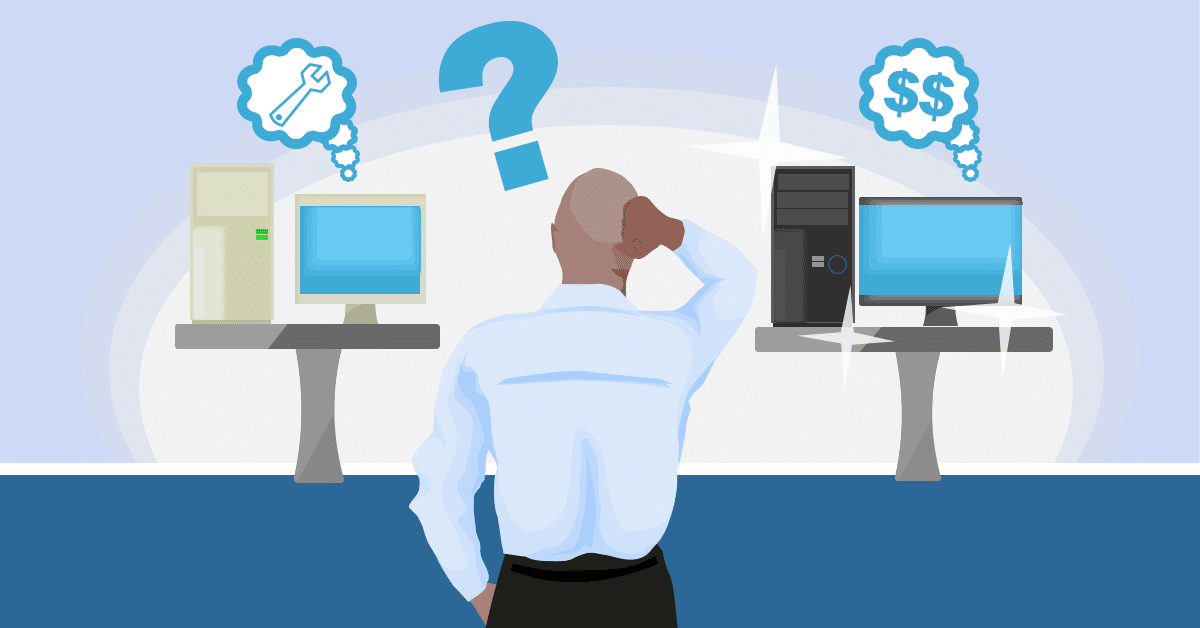
Should You Repair, Upgrade, or Replace Your Computer? Like many valuable things we buy, new computers suffer from wear and tear over time. Our computers are particularly vulnerable as we have placed more and more demands on them every year. New machines have gotten faster, quieter, more reliable, and more capable over time. At the same time our own computers have begun to slow and sometimes even stop performing altogether.
There are many ways to address the problem of a PC which isn’t quite performing up to the task anymore. Whether frustratingly slow or no longer working; we are happy to take a look. When you bring your computer to us we will diagnose the condition and find a solution that works for you. Often times the simplest solution works best. A complex problem sometimes only needs a simple repair to get your home computer up and running like new again. Whether a small replacement part, loose wire, or bad connection; we will find and fix the problem to give your familiar, home machine a new lease of life.
Many computers come to us running slowly, taking a long time to start up, or freezing when trying to load files and programs. Often owners have reached breaking point and become convinced the machine is fit for only the scrap heap. In many cases, the problem can be pinpointed to a bottleneck in the system. A single, seemingly trivial, part can be holding up the entire system. Amazingly, upgrading just that one component can make the whole machine run like new again.
Adding memory can provide extra space for programs to run faster. Adding an updated, faster hard drive can allow files to be retrieved without delay. In both cases, a low-cost single component can provide a cost-effective solution that makes an old machine like new again.
In some cases, computers succumb to more major faults. A critical part, difficult to replace, may stop working altogether. A failure of the motherboard for example, the backbone that all other components connect to can be expensive, if not impossible, to fix. Typically, with the fast-paced and ever-changing nature of computing, a motherboard will only house computer parts that were manufactured around a similar time.
A motherboard is almost certain to be incompatible with components built just a couple of years before or after its own design for example. Occasionally even a motherboard failure can be resolved too. In these cases we strive, whenever possible, to find a replacement board of the same generation that will work alongside existing components. The result is a cost-effective solution that keeps cost down by saving replacement parts.
In cases where a like-for-like replacement motherboard is not available, many parts of the computer may have to be replaced at the same time. Often replacement costs in these cases can get close to, or even exceed the cost of buying a new machine.
We would always give advice where it makes sense financially and practically to consider replacing an old machine. Often, in this respect, a home PC can be considered a little like a car. Sometimes a simple, non-expensive, easy to replace component such as the window wiper can fail. While a crucial part to be used for driving; it would be silly to suggest replacing the vehicle once it has worn out.
A window wiper may be low-cost and simple to replace, but if the engine were to wear down or break the solution may not be quite as simple. Attempting to make a 30-year-old car as fast, safe, and reliable as a brand new model generally doesn’t make any financial or practical sense. Sometimes the best course of action to save money and avoid breakdowns is a more up to date vehicle.
In computing, many of the same rules hold true. The best solution in each case is always tailored personally to fit you and your own computer.
Bring your machine in to us or give us a call us at (651) 456-8655 to discuss your computer issues or visit our Contact page HERE. We’ll keep you informed about your machine and advise on the best course of action to get you up and running as quickly as possible.
There’s been a massive digitization of the population, which despite keeping everyone entertained and connected, comes with one gaping flaw – a hard drive crash could wipe out your data in an instant. Nobody’s immune, even grandparents routinely rock the latest smartphones and post on Facebook. Nearly all schoolwork is done on computers or tablets, ebook sales far outstrip their paper cousins, and photo printing is a rarity. Unless there’s a physical requirement like putting a photo into a frame, all our data is staying digital. People’s entire lives, their memories, and work are on personal hard drives, yet a large majority of households have no backups.
If you’ve ever lost your data or had your computer stolen, you know the panic and rage that follows…turning the house upside down, hoping desperately to find that USB stick that maybe your data was copied to, once upon a time…before collapsing onto the couch as it sinks in: there’s nothing left.
While hopefully your hard drive is still in good shape, surprise failures do happen. The mechanics don’t last forever, and even brand-new drives can be blitzed by a power surge. Theft is always a risk, as is user error like deleting files accidentally, or even getting hit by a nasty virus that destroys or holds your files for ransom. That last one is tricky. Most households are using apps like Dropbox, iCloud or OneDrive as their backup, thinking if their hard drive crashes or gets stolen, they’ll just download the files from there. Unfortunately, those very handy apps are no help if you’ve been hit with ransomware. Almost instantly as the malware encrypts your local files until you pay up, those sync apps upload the infected versions – for your convenience. Older, safe versions of the files no longer exist, because these apps are designed to give a constant mirror of your drive, not a backup.
Stop for a moment and think about what you’d lose right now if your hard drive failed. What’s on there? Household management files like tax info, warranties you’ve scanned in, photos of your children or grandchildren, videos of first steps and school plays, maybe even your wedding video? While some losses are merely inconvenient, like recreating your budget or rebuilding your recipe collection, other losses are heartbreaking. It’s not a feeling we’d wish on anyone!
What You Can Do
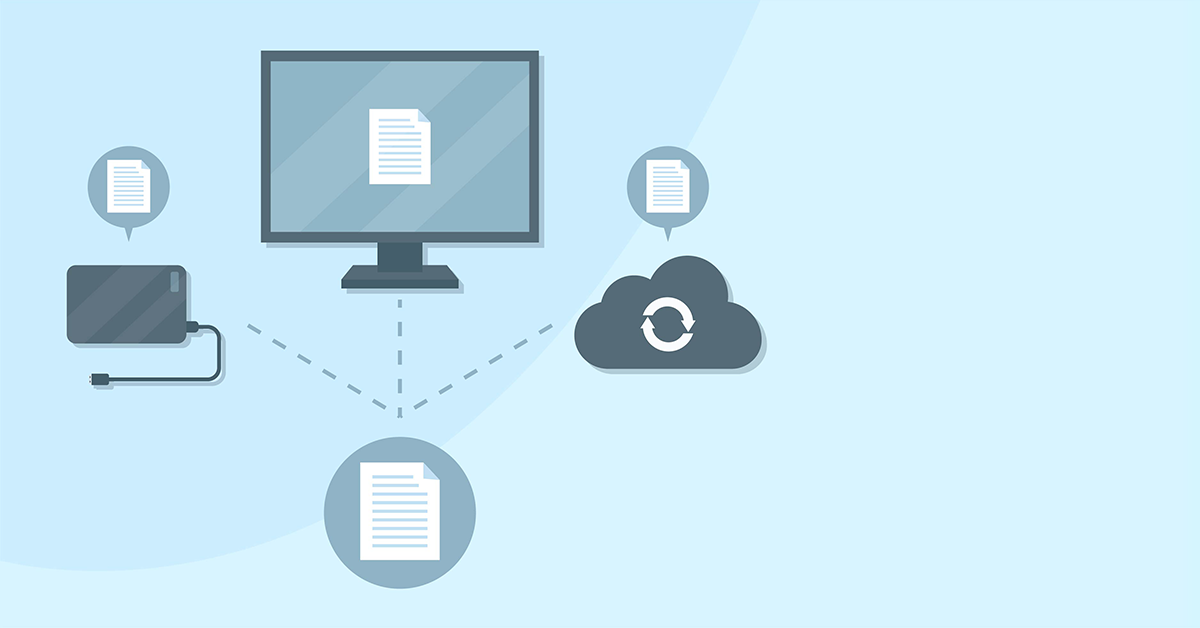
Backing up at home used to be something only tech geeks did, but like everything cool, it’s gone mainstream. We recommend a 3-2-1 approach: 3 copies of your data, with 2 local at your home and 1 offsite.
Typically, this means keeping your regular hard drive where your data is now, one copy of precious files on a backup USB drive, and one that automatically uploads to the secure cloud as you add new files. That way, the USB drive protects your data if your computer dies, and the cloud copy protects you if something happens to the computer and your USB drive, like fire, flood or theft. It’s a good idea to make sure you unplug that backup USB drive afterwards and pop it into a drawer, as connected devices can easily become infected during an attack or stolen during a break-in.
Two of these methods require you to actually pay attention, which is where many households struggle. It’s a rare home where someone takes the time to sit down each week and carefully run a backup. Not that it’s tricky, but unless you’re one of those cool geeks it’s pretty boring and not a high priority after a long day! That’s why we recommend a cloud backup solution or letting us take care of it remotely.
You’ll be able to retrieve files at will, without having to roll back your entire drive, and know your solution has caught even the smallest file change without you needing to flag or mark it in any way. Even better, because it’s in the cloud, you can access your secure backup from anywhere. Left a work file at home? No problem, it’s in your cloud backup. On vacation and need to check a detail or show off a photo? No problem, it’s in your cloud backup. We’re able to get you set up with the perfect backup solution that meets your needs, both now and in case of emergency.
If your typical New Year’s resolutions lasted about 30 seconds, you’re not alone. Pledges to eat better, start running and learn how to juggle can be rebooted again next year easy enough.
This year, we challenge you to think about your tech health with some resolutions you’ll want to keep.
No More Junk Mail
Whether you checked a box agreeing to get newsletters, or you have no idea how you got on that list, it’s time to say goodbye. Start by emptying your mailbox to zero unread messages – no you don’t have to read all that spam – you have permission to delete it unread. Let’s face it, if you were going to read it, you would have done so already. Away it goes.
Now that you’re starting with a clean slate and a huge feeling of accomplishment, resolve this: Each day, unsubscribe from 5-10 lists. Keep an eagle eye out for that gorgeous ‘unsubscribe’ link and click it with confidence. You don’t even need to give a reason if it redirects to a survey page. Before too long, your inbox will be a refreshing place filled only with people and businesses you look forward to hearing from.
Go Password Pro
With all these password leaks from LinkedIn, Myspace, and goodness knows who hasn’t come forward, now’s the time to get smart with your passwords. Because most people use the same passwords on every site, a single breach can be the hack that keeps on giving. You know how important it is to use different passwords for each site, but let’s be real, that’s a LOT of passwords to remember!
Instead of writing them down, we recommend using a password manager like LastPass. It remembers all your various passwords for you, so all you need to know is the super-protected master password. Master passwords are kept encrypted on your system, not theirs, and 2-factor authentication checks with you via text for all big changes.
Backup. No Really, Backup.
I’ve been meaning to backup is the cry of someone who just lost all their photos. Good intentions don’t count AT ALL in data security, because once the data is gone, it’s gone. With new cloud backup options, there’s no reason to put this off, because backup apps are now easier and more accessible than ever before. You can also backup to local drives, but this will take a little extra remembering on your part, as you’ll want to have at least one drive that stays disconnected in case of viruses.
There you have it. Three New Year’s resolutions you can easily keep, and that will make a real difference to your year. Opening your email will be a pleasure, you’ll be a spectator only in any future password leaks, and your precious files will be safe against all manner of disaster. Feels better than any diet, doesn’t it?
We use cookies to ensure that we give you the best experience on our website. If you continue to use this site we will assume that you are happy with it.


Recent Comments