Why Fileless Attacks Are Hard to Spot (But Still Detectable) – 12/18/2025
Twin Cities Cybersecurity Awareness for Home & Small Business Users
Cyber threats targeting Minnesota homes and small businesses are becoming more sophisticated, and one of the most dangerous trends we’re seeing across the Twin Cities is the rise of fileless attacks. These stealthy attacks don’t behave like traditional viruses, making them harder to detect—but with the right tools and awareness, they are still preventable.
What Is a Fileless Attack?
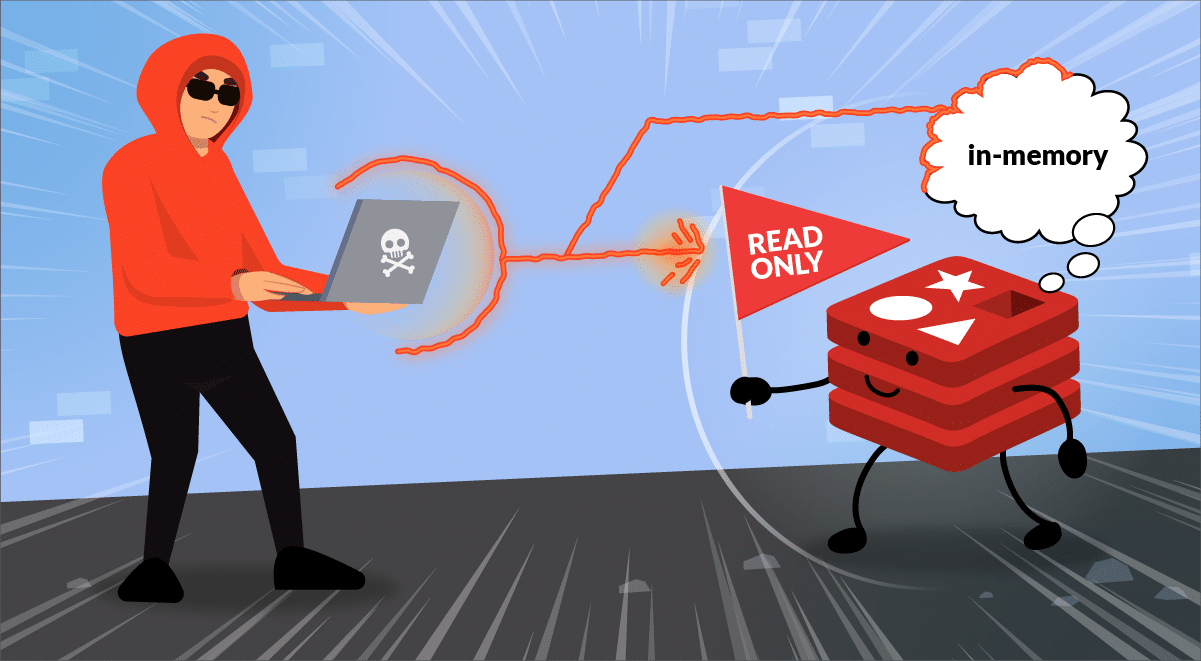
A fileless attack is a cyberattack that does not install malicious files on your computer’s hard drive. Instead, it uses trusted tools already built into Windows—such as PowerShell, Windows Management Instrumentation (WMI), or web browsers—to execute malicious commands directly in system memory.
Because nothing suspicious is saved to disk, many older antivirus solutions never see a warning sign.
Why Fileless Attacks Are Especially Dangerous in the Twin Cities
Local businesses and residential users are prime targets because attackers know:
Small businesses often lack enterprise-level security
Home users may rely on basic antivirus software
Many systems are left unpatched or misconfigured
In the Twin Cities area, we frequently see fileless attacks delivered through:
Phishing emails pretending to be local vendors or service providers
Fake Microsoft or Windows security alerts
Compromised websites that inject malicious scripts
Why Fileless Attacks Are Hard to Detect
No files to scan Traditional antivirus tools look for malicious files. Fileless attacks operate entirely in memory, leaving almost no footprint.
They abuse legitimate Windows tools PowerShell, command-line utilities, and system processes are trusted by default, allowing attackers to hide in plain sight.
They mimic normal system activity Because the behavior looks “normal,” these attacks can remain active longer without triggering alarms.
They often rely on user interaction A single click on a malicious link is often all it takes—no download required.
What Can Fileless Attacks Do?
Once active, fileless malware can:
Steal passwords and saved browser credentials
Monitor keystrokes and screen activity
Spread across connected devices or office networks
Create backdoors for future attacks
We’ve seen Twin Cities clients affected without realizing anything was wrong—until systems slowed down, accounts were compromised, or data was stolen.
How Fileless Attacks Are Still Detectable
Modern cybersecurity no longer relies only on file scanning.
Behavior-based endpoint protection Advanced security tools detect unusual PowerShell activity, abnormal memory usage, and suspicious system behavior.
Network traffic monitoring Unexpected outbound connections or data transfers to known malicious servers are strong warning signs.
System logging and threat detection Improper privilege escalation, unauthorized commands, and unusual login behavior can all reveal fileless threats.
User education Most fileless attacks still start with phishing. Awareness is one of the most effective defenses.
How Twin Cities Users Can Reduce Risk
Keep Windows, browsers, and applications fully updated
Use modern, behavior-based security software
Be cautious with emails claiming urgency or local relevance
Avoid using admin accounts for everyday tasks
Schedule regular professional security checkups
Final Thoughts
Fileless attacks are one of today’s most advanced cyber threats—but they are not invisible. With the right protections in place, Twin Cities home users and small businesses can stay secure and avoid costly breaches.
If you’re unsure whether your system is properly protected, proactive security checks are far less expensive than recovery after an attack. If you have any questions, please email me HERE!
Why Your Computer Is Slowing Down (and How to Fix It Before It Gets Worse) – 11/24/2025
Whether you use your computer for running your business, online learning, gaming, or simply everyday browsing, one thing is universally frustrating: a slow, laggy machine. Over time, even powerful systems begin to lose their snap. In this week’s newsletter, we’re diving into one core topic that affects nearly every customer who walks through our doors:
The Hidden Reasons Your PC Slows Down — and What You Can Do About Each One
A slow computer rarely has a single cause. Instead, it’s usually a combination of software clutter, aging components, and missed maintenance. Here are the most common issues we diagnose every week at Twin Cities PC Repair.
1. Too Many Startup Programs
Most PCs have dozens of apps quietly running the moment you turn them on—slowing everything from boot time to basic performance. Many of these programs sneak in as “helpful assistants” but end up draining memory for no reason.
Fix: Disable unnecessary startup apps through Task Manager (Windows) or Login Items (Mac). Better fix: We can run a full startup optimization to remove bloat safely and cleanly.
2. Outdated or Failing Hardware
Hard drives wear out, RAM becomes insufficient, and older processors struggle with modern software demands. If your PC is 4+ years old, hardware may be a major contributor.
Fix: Upgrading to an SSD or adding more RAM often produces instant improvements. Best fix: Bring your device in for a hardware health check—we’ll test everything and recommend the most cost-effective upgrades.
3. Background Software You Don’t Even Know You Have
Hidden processes, unused apps, and even corrupted system services eat away at performance. This includes preinstalled “bloatware” and background update services.
Fix: Uninstall unused apps and run system cleanup tools. Safer fix: We perform full system tuning without risking critical OS files.
4. Fragmented or Corrupted Storage
Traditional hard drives (HDDs) slow dramatically as data becomes fragmented. Even SSDs can develop performance issues when near capacity.
Fix: Free up space, defragment HDDs, and run disk health checks. Professional fix: We scan drives for errors and optimize them safely—preventing data loss.
5. Malware & Unwanted Browser Extensions
This is more common than most people realize. Even “safe-looking” apps or extensions can track you, hijack browsing, or throttle performance.
Fix: Run a reputable antivirus scan and remove suspicious extensions. Best fix: Let us perform a deep malware scan—not just surface-level cleaning.
6. Skipped System Updates
Updates aren’t just for new features—they patch security holes and improve performance. Ignoring them can lead to instability and slowdowns.
Fix: Enable automatic updates for Windows, macOS, drivers, and apps (especially browsers!). Hands-off fix: We offer update management and routine tune-ups for businesses and home users.
Ready for a Faster, Healthier Computer?
A clean, optimized, malware-free system doesn’t just run better—it lasts longer and keeps your data safer. If your PC is starting to drag or you want to keep things running smoothly, book your drop-off appointment HERE.
We use cookies to ensure that we give you the best experience on our website. If you continue to use this site we will assume that you are happy with it.


Recent Comments